Controls
- Move: AD or left and right arrow keys
- Jump: W or up arrow key or spacebar
- Talk to Bob: F
- Select items: 1-6
- Use items: left mouse button
- Drop items: Q
- Inventory: E
- Pause: P


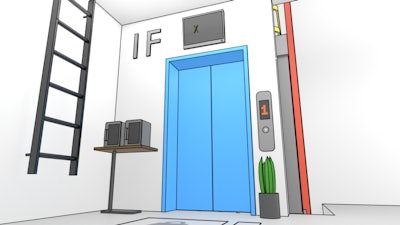
Picture this: a cute orange feline with a pickaxe, digging through a Pixel‑perfect world that feels ripped straight from Minecraft but runs on a nostalgic Scratch engine. Miner Cat 4 throws you into a side scrolling tunnel crawl where every block hides a surprise. The charm is instant, the challenge is real, and the rush of uncovering hidden gems keeps the adrenaline humming. If you love 2D platformers that blend retro aesthetics with modern mechanics, this is the title that will steal your evenings.
Master the cat‑powered mining rig with a simple, responsive layout. Move left or right with AD or the arrow keys. Jump using W, the up arrow, or spacebar. Talk to the grumpy miner Bob by pressing F. Switch between inventory slots 1‑6 with the number keys, then fire items with the left mouse button. Drop unwanted loot with Q, open your stash with E, and pause the action with P. The controls are tight, so you can focus on the hunt.
Success isn’t just about swinging the pick; it’s about reading the terrain. Early levels teach you to spot the faint glow of Block types that drop rare ores. Prioritize digging in a zig‑zag pattern to expose hidden chambers before they collapse. Upgrade your tools at Bob’s shop – a sharper pick reduces mining time, while a sturdier helmet lets you survive the occasional falling debris. Keep an eye on the mini‑map; secret tunnels often lead to bonus Pixel rooms packed with extra loot. Remember, the deeper you go, the more cute and valuable the treasures become, but the enemies get smarter. Master the rhythm, manage your inventory, and you’ll turn every run into a high‑score streak.
Ready to prove you’re the ultimate feline digger? Grab your pick, hop on over to Miner Cat 4, and let PlayHop’s addictive side‑scrolling challenge take you deeper than ever before. The blocks are waiting – start breaking them now!