Click to play
x
Controls
The Four Color Problem


















Click to play
This game is not available on mobile.

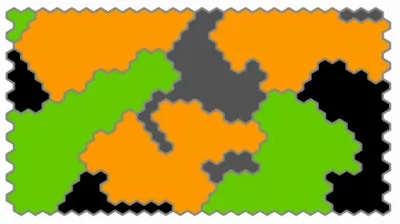
Put your puzzle-solving and strategy skills to the test with The Four Color Problem, the addictive flash game that turns coloring into a competitive battle of wits. In this clever twist on map-coloring, you’ll go head-to-head with an AI opponent, using only two colors to stake your claim on the board. Every move matters, and every choice builds toward a bigger strategy. If you love brainy challenges with a splash of color, this one’s for you.
At its core, The Four Color Problem is easy to learn but hard to master. You control two colors – Black and Gray – while your opponent uses Green and Orange. The goal? Secure as much territory as possible without breaking the color rule: no two adjacent areas can share the same shade. Start first, and plan your next moves carefully to outmaneuver your opponent.
Success in The Four Color Problem isn’t just about random color placement; it’s about positioning and planning. Every move you make should aim to block your opponent while expanding your own territory. Watch the board evolve as you and your opponent race to claim the most space using only two colors. The challenge becomes even greater when you realize that the same color can only appear once per adjacent area. Need a plan? Here’s a tip: always look ahead to the next few turns and map out how you’ll react to your opponent’s choices. It’s the kind of strategy that makes this puzzle game both fun and deeply satisfying.
Ready to prove your skills in one of the most strategic coloring games available? Jump right in at The Four Color Problem and see if you can outsmart the AI. Whether you're a fan of art, coloring, or deep strategy games, this is a must-play. And don’t forget to check out PlayHop for more addictive flash games that keep you coming back for more. Your brain will thank you.




















