Skibidi Toilet Shooter – Chaos in the Bathroom
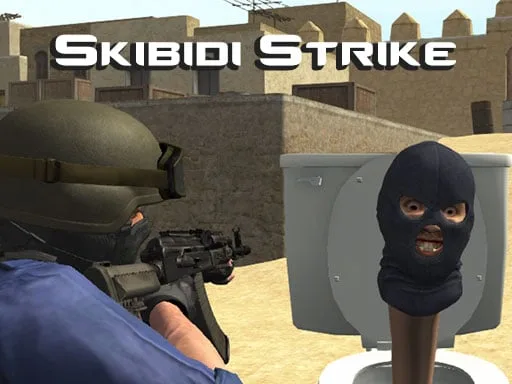
Every flush brings a new wave of crazy Skibidi Toilets. They’re relentless, they’re loud, and they’re out to claim the planet. Your mission? Lock, load, and blast every rogue porcelain invader before the world ends up a giant bathroom nightmare. This isn’t just another arcade shooter—it's a fast‑paced, 3D Games showdown that mixes classic fun with absurd humor. If you love crazy casual action, this is the game that will keep your trigger finger itching.
Mechanics
Control the mayhem with simple, responsive inputs. Whether you’re on a desktop or a mobile device, the game feels tight and punchy.
- Desktop – Use the arrow key buttons of the keyboard to move. The space button is for the shoot.
- You can also use the buttons on the screen to move and shoot.
- Mobile – There are arrow buttons on the screen you can use those buttons to move and there i.

Strategy
Winning isn’t just about pulling the trigger. Master the rhythm of each wave and keep your ammo count high. Start with the nearest toilets; they’re the easiest targets and give quick points. As the levels progress, Skibidi Toilets spawn faster and in larger groups. Prioritize the ones that fire back—those are the biggest threat. Use the on‑screen power‑ups wisely: a rapid‑fire boost can clear a crowd, while a shield lets you survive a surprise barrage. Keep moving; staying static makes you an easy target for the sneaky “Ski‑toilet” enemies that slide in from the sides. Aim for headshots; they deal extra damage and shave seconds off the timer. Finally, replay each stage to discover hidden bonus rooms that drop extra coins and rare upgrades.
Ready to smash porcelain foes and claim bragging rights? Jump into Skibidi Toilet Shooter now, lock in those high scores, and prove you’re the ultimate toilet‑taming champion. The madness starts at PlayHop—download, fire, and dominate today.
Desktop Use the arrow key buttons of the keyboard to move And the space button is for the shoot You can also use the buttons on the screen to move and shoot Mobile There are arrow buttons on the screen you can use those buttons to move and there i