Need for Race – Pure Speed on Your Mobile
Strap in, fire up that engine, and dominate every stretch of asphalt. Need for Race throws you behind the wheel of high‑octane supercars that scream down endless roads. No tutorials, no fluff—just raw driving action that tests reflexes and nerve. Miss a turn, clip a barrier, and you’re out. The longer you survive, the faster the world spins, and the higher your score climbs. It’s the ultimate test for anyone who lives for the race and craves that adrenaline rush on a mobile device.
Mechanics
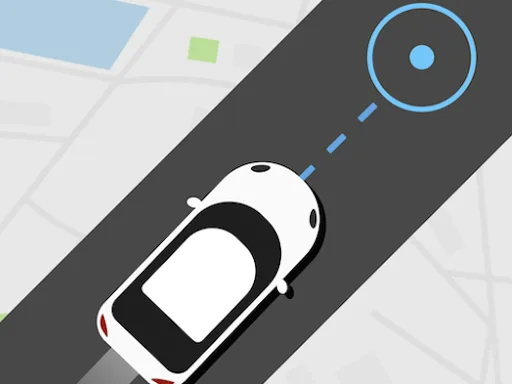
The control scheme is stripped down to its core. One tap, one turn, endless possibilities.
- The car moves automatically
- Clicking on the right side of the screen allows you to turn it to the right
- clicking on the left side of the screen makes a left turn
- You can also turn using the A D keys or the right and left arrows on the keyboard

Strategy
Speed isn’t just about floor‑pressing the accelerator. Master the rhythm of the road. Early laps demand caution—stay centered, avoid the chaotic edge where obstacles spawn. As your velocity climbs, the game rewards aggressive lane changes. Learn the timing of each vehicle’s drift; some cars slide wider, others snap back tight. Upgrade your supercar collection by racking up distance milestones; each new model offers better grip and higher top speed. Keep an eye on the visual cues: a flashing barrier means an imminent turn, while a smooth stretch hints at a perfect boost window. The key is balancing reckless acceleration with laser‑sharp positioning.
Ready to put the pedal to the metal? Download Need for Race now, smash the leaderboards, and prove you’re the fastest driver on the planet. PlayHop brings the thrill of high‑speed racing straight to your fingertips—no compromises, just pure, relentless action.
The car moves automatically Clicking on the right side of the screen allows you to turn it to the right clicking on the left side of the screen makes a left turn You can also turn using the A D keys or the right and left arrows on the keyboard