Controls
Use the left mouse button to rotate the camera and look around, and also to interact with the environment and objects around you.
Use the left mouse button to rotate the camera and look around, and also to interact with the environment and objects around you.
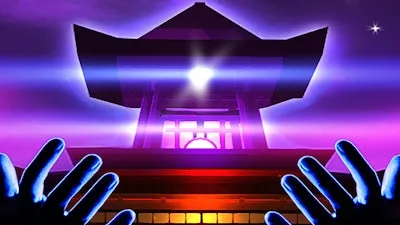


Lost memories, a haunted shore, riddles that bite back—this isn’t just another Escape title. Mystic Escape drops you onto a mist‑shrouded island where every step could crack the code or seal your fate. The stakes? Recover your past before the island’s secrets swallow you whole. If you crave brain‑twisting mystery wrapped in stunning 3D scenery, this is the slot you’ve been hunting.
The game runs on classic Point and Click logic, but the mouse feels like a wand. Tap, drag, and probe every corner. Every puzzle leans on your mouse‑handed skill, and the world reacts instantly.
Don’t rush to the next clue. The island rewards observation. Scan the horizon for subtle glints—those are magic sigils that trigger hidden scripts. Keep a mental map of symbols; they repeat in later rooms, forming a meta‑puzzle that unlocks the final archive.
Inventory management is key. Only three items fit in your satchel, so choose wisely. Swap out a mundane stone for a glowing crystal when you hit a sealed gate; the crystal’s aura reveals the invisible lock pattern.
Use the environment. Rotating statues, shifting sand, and echoing waterfalls are more than eye candy—they’re interactive levers. When a puzzle seems impossible, step back, rotate the camera, and look for a shadow or reflection that hints at the solution.
Patience beats speed. Each solved riddle lights a fragment of your lost memory. Those fragments stack, granting you a “memory boost” that highlights interactive objects with a faint golden halo. Keep an eye on the halo; it’s the shortcut to the next breakthrough.
Ready to crack the island’s code and reclaim what’s yours? Jump into PlayHop now, grab Mystic Escape, and let the mystery unfold. The clock’s ticking, and every click could be the one that frees you.
Use the left mouse button to rotate the camera and look around, and also to interact with the environment and objects around you.