Minecraft Remake: Endless 3D Adventure Awaits
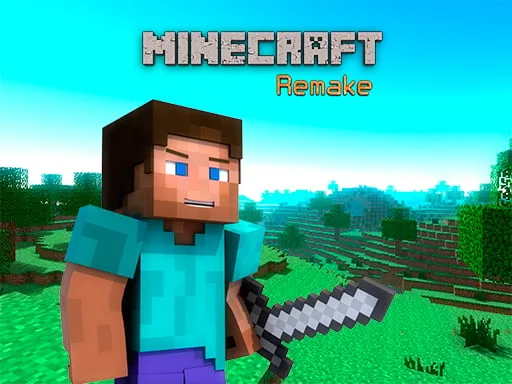
Experience the ultimate Minecraft experience with our Minecraft Remake game, exclusively on PlayHop. This 3D adventure game brings back the classic Minecraft charm with modern twists, allowing you to explore infinite worlds and build everything from the simplest of homes to the grandest of castles.
Our Minecraft Remake game is built using Unity3D and optimized for WebGL and HTML5, ensuring seamless gameplay across various platforms. As a fan of the original Minecraft game, you'll love the nostalgic feel and new features that our Minecraft Remake has to offer.
- Movement: WASD or Arrow Keys
- Sprint: Left Shift
- Camera Control: Mouse Look
- Block Switching: Scroll Wheel
- Jump: Space
- Block Placement: Right Mouse Button
- Block Destruction: Left Mouse Button
- Block Highlighting: Middle Mouse Button
- Inventory: E View In
As you explore and craft in our Minecraft Remake game, you'll discover a wide range of materials and resources to aid in your crafting endeavors. Mastering the art of crafting is essential to progressing through the game and building incredible structures. Here are some strategy tips to keep you hooked:
Progression and Strategy
To get the most out of Minecraft Remake, focus on gathering resources, crafting essential tools, and building shelter. As you progress, explore new biomes, and fight off hostile mobs to survive. Experiment with different crafting recipes to unlock new items and blocks.
Why Choose PlayHop?
By playing Minecraft Remake on PlayHop, you'll enjoy a seamless gaming experience with regular updates and a supportive community. Our platform offers a vast collection of games, including the latest adventure and crafting games.
Ready to experience the ultimate Minecraft adventure? Head over to Minecraft Remake on PlayHop to start exploring, crafting, and building today!
- WASD or Arrow Keys Move - Left Shift Sprint - Mouse Look - Scroll Wheel Switch Block - Space Jump - Right Mouse Button Place Block - Left Mouse Button Destroy Block - Middle Mouse Button Get Highlighted Block - E View In