PlayHop Presents: Minecraft Differences
Minecraft Differences is the ultimate adventure for Kids and adults alike, where you'll embark on a thrilling quest to spot the subtle differences between two almost identical images. With 10 fascinating levels to explore, each featuring beloved Minecraft characters, you'll need to put your skill and craft to the test to succeed. This fun game is perfect for players of all ages, providing an exciting challenge that will keep you coming back for more.
To play, simply use your mouse or tap on the screen to navigate through the levels and spot the differences. Here's how to get started:
- Click or tap on the differences you find to mark them with a red circle
- Avoid mindless clicking, as this will result in a warning
- Take your time, as the differences can be small and barely discernible
- If you don't have time to finish a level, you can start again from where you left off
This game is built with
HTML5 technology, making it accessible on both
mobile and desktop devices, so you can play wherever you go.
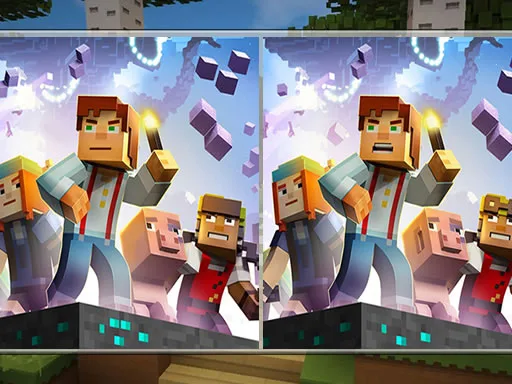
As you progress through the levels, you'll need to develop a strategy to help you spot the differences quickly and efficiently. This might involve taking a closer look at the images, using your knowledge of Minecraft characters to identify potential differences, or simply taking your time to carefully examine each level. With each level you complete, you'll become more attentive and focused, making you a better player overall. At PlayHop, we're committed to providing the best gaming experience possible, which is why we've designed Minecraft Differences to be both fun and challenging.
Join the Fun at PlayHop
So why wait? Head over to Minecraft Differences to start playing now, or visit our homepage at PlayHop to explore our full range of exciting games. With new games and updates added all the time, you'll never be short of something new to play. Join the PlayHop community today and discover a world of adventure and crafting that's waiting for you!
Use mouse or tap on the screen