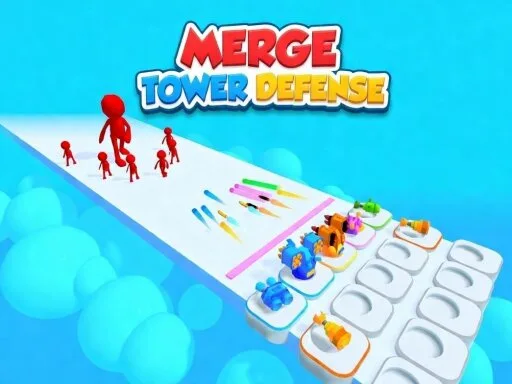
Unleash Your Defensive Skills in Merge Tower Defense
Get ready to test your mettle in this intense, fast-paced hyper-casual tower defense game.
PlayHop brings you the ultimate challenge where strategy and skills collide in a battle against endless enemy waves. In
Merge Tower Defense, your goal is simple: defend the path at all costs.
Gameplay Mechanics
In
Merge Tower Defense, the controls are intuitive and easy to grasp. On both PC and mobile devices, double click or tap a tower to merge it automatically with an identical neighbor. Alternatively, hold the right mouse button (on PC) or hold and drag your finger (on mobile) onto an identical tower to merge them manually. With this simple yet powerful mechanic, you can create an arsenal of towers that will stop even the toughest enemy waves in their tracks.
- Upgrade your towers to increase damage and attack speed.
- Combine identical towers to create stronger, more powerful ones.
- Complete levels to unlock new challenges and rewards.
Strategic Tips and Progression
To succeed in
Merge Tower Defense, you'll need to think strategically about your tower placement and upgrades. Start by building a solid foundation of basic towers and then focus on upgrading and merging them to create more powerful ones. Use your powerful skills like flamethrowers, flying saws, acid pools, mines, spikes, and airstrikes wisely to take down even the toughest enemies. As you progress through the levels, you'll encounter increasingly difficult challenges, but with the right strategy, you'll be able to overcome them all.
Join the Battle Today!
So, are you ready to put your defensive skills to the test? Download
Merge Tower Defense now and experience the thrill of defending the path against endless enemy waves. With its addictive gameplay, stunning graphics, and endless challenges,
PlayHop brings you the ultimate tower defense experience. Don't miss out on the fun – join the battle today and become the ultimate tower defense champion!
bull PC Double right-click a tower to merge it automatically or hold the right mouse button and drag it onto an identical tower bull Mobile Double tap a tower to merge it automatically or hold and drag it with your finger onto an identical tower