Controls
Use left mouse button to start an action and the right mouse button to undo some actions. Please see the in-game tutorials.
Use left mouse button to start an action and the right mouse button to undo some actions. Please see the in-game tutorials.
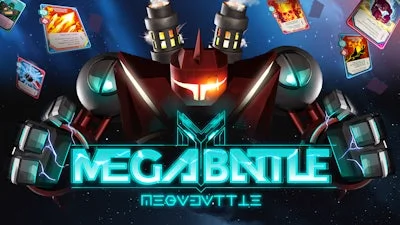


Megabattle drops you into a kinetic 3D arena where every decision flips the tide of a Battle. Build a custom Robot from a deck of upgrade Card fragments, then watch it clash with opponents that never play by the same rules. The thrill isn’t just in the firepower—it's in the constant scramble to out‑think, out‑maneuver, and out‑last every challenger. If you love high‑octane combat wrapped in deep Strategy, this is the match you’ve been waiting for.
Controls are stripped down to pure action. Master them, and the arena becomes an extension of your mind.
The core loop feels like a Roguelike sprint: each run reshuffles your card pool, forces new robot builds, and throws fresh arena hazards. To stay ahead, focus on three pillars:
Progression rewards you with permanent card slots and robot chassis upgrades. The more you win, the deeper the deck, the tougher the opponent, and the richer the strategic possibilities. It’s a loop that keeps you coming back for that next perfect combo.
Ready to smash metal and mind together? Grab Megabattle from PlayHop and prove you can dominate the arena. Build, battle, and evolve – the next victory is just a click away.
Use left mouse button to start an action and the right mouse button to undo some actions. Please see the in-game tutorials.