Intercity Bus Driver 3D: Feel the Real City Roads in Your Wheels
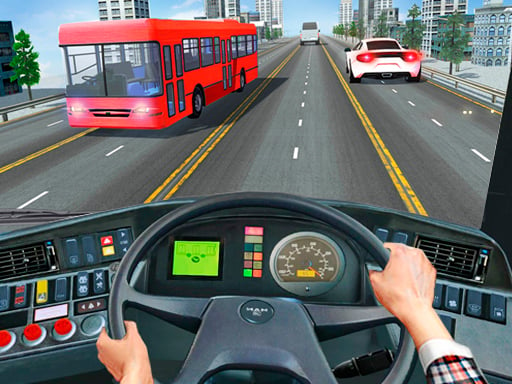
You're not just a driver — you're the captain of a massive bus navigating through city streets, highways, and winding roads.
Intercity Bus Driver 3D throws you into a fast-paced, high-stakes world of urban travel. Whether you're sprinting to make a tight schedule or maneuvering through traffic, every second counts. This game doesn’t just look real — it
feels real. The engine roars, the wheels hum, and the passengers stare expectantly. If you think you've got what it takes to run a bus like a pro, it's time to step behind the wheel.
How to Take Control in Intercity Bus Driver 3D
Getting the hang of
Intercity Bus Driver 3D is simple but rewarding. The game is built for quick learning and deep immersion, and the controls reflect that. Here's how you take command:
- WASD or arrow keys — drive forward, backward, and steer the bus with precision.
- Mouse — interact with the environment, manage your route, and make quick decisions on the fly.
The responsive controls let you handle tight turns, avoid obstacles, and keep your passengers on board. Whether you're dodging traffic or racing against the clock,
PlayHop ensures smooth and intuitive gameplay that keeps you hooked.
Master the Road and Stay on the Map
Timing is everything in
Intercity Bus Driver 3D. Miss a stop, and you're not just wasting fuel — you're risking angry passengers and missed missions. The game challenges you to plan your route, manage speed, and keep your bus on track. Pro tip: Look ahead for traffic patterns and plan your lane changes. Stay focused, and you’ll earn rewards and unlock new cities across the map. The more you play, the better you get — and the more addictive the game becomes.
Feeling the adrenaline rush? Don’t keep it to yourself. Jump into Intercity Bus Driver 3D and feel the full power of PlayHop in action. It’s time to drive. It’s time to conquer. It’s time to become a true bus-driving legend — on real roads, in real time, and with real passengers counting on you.
WASD Arrows - drive Mouse to interact