Futoshiki – Brain‑Boosting Puzzle Action
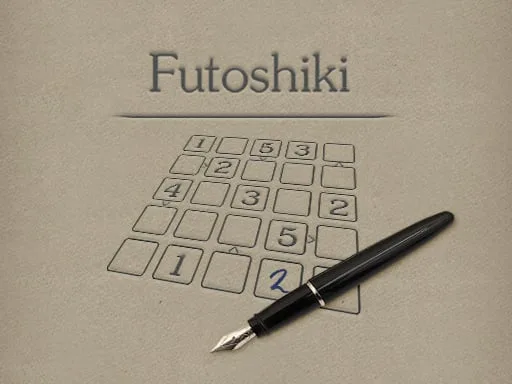
Fans of Sudoku crave fresh challenges that still feel familiar. Futoshiki delivers that mix with a Japanese twist: a 5×5 grid, inequality signs, and a race against the clock. Every tap fires a new number into place, every solved row feels like a mental high‑five. The game runs smooth as HTML5, so it works on any browser without a hitch. If you love a funny, fast‑paced brain workout, this is the puzzle that won’t let you quit.
Mechanics
Control is simple. Tap a cell, choose a digit, and watch the board react. Notes mode helps you track possibilities without cluttering the grid. The interface is built for quick thinking, not endless scrolling.
- Your goal is to fill cells with numbers 1-5
- Each number can occur in row and column only once
- You also have to obey inequality signs between cells
- Tapping on selected cell toggles notes mode on and off
Strategy
Start by scanning every inequality sign. The arrows instantly eliminate impossible numbers, giving you a foothold. Next, lock in any digit that can only fit one spot in a row or column—those are your low‑effort wins. As the board fills, shift to “candidate juggling”: use notes mode to stack potential numbers, then prune them as new constraints appear. Harder levels throw in tighter sign clusters, forcing you to think two steps ahead. Keep a mental tally of which numbers are missing in each line; that habit cuts down on trial‑and‑error and speeds up completion. The more puzzles you crush, the sharper your pattern‑recognition becomes, turning each new grid into a quick, rewarding sprint.
Ready to test your logic muscles? Jump straight into Futoshiki and experience the addictive blend of classic Puzzle design with modern HTML5 polish. Play now on PlayHop and join a community that thrives on clever, funny challenges that sharpen the brain every day.
Your goal is to fill cells with numbers 1-5 Each number can occur in row and column only once You also have to obey inequality signs between cells Tapping on selected cell toggles notes mode on and off