Controls
Use the left mouse button or WASD or arrow keys to move the character.
Use the left mouse button or WASD or arrow keys to move the character.
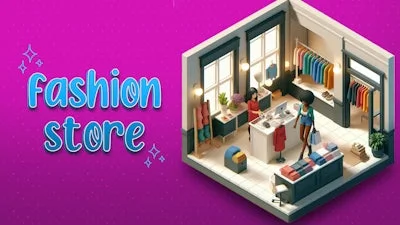


Running a boutique isn’t just about pretty clothes. It’s about turning a tiny shop into a fashion empire. Fashion Store: Shop Tycoon puts you behind the counter, letting you design layouts, price items, and watch customers flood in. Master the simulation, crank profits, and watch your brand dominate the runway. If you crave a blend of style and strategy, this is the tycoon experience you’ve been waiting for.
Control is simple, but the decisions are deep. Tap, drag, and swipe to arrange racks, set up displays, and manage staff. Every click pushes your shop closer to the top of the fashion hierarchy.
Start small. Pick a niche—streetwear, vintage, or high‑end couture—and fill shelves with items that match the vibe. Pricing matters: undercut rivals to attract budget shoppers, or set premium tags for exclusive looks. Keep an eye on trends; the game’s built‑in fashion calendar will flash upcoming styles. Swap inventory before the trend peaks, and you’ll reap higher margins.
Upgrade your space gradually. A wider aisle improves foot traffic, while decorative lighting boosts customer mood. Hire staff who specialize in sales, stock, or design; each brings a bonus that compounds over time. Reinforce your brand with marketing campaigns—social media posts, flash sales, and influencer visits all drive spikes in footfall.
Balancing cash flow is the core loop. Reinvest profits into new collections, better fixtures, or a second location. Expanding to a new district unlocks fresh customer demographics and higher rent—handle it wisely, or the shop could go bankrupt. The simulation rewards long‑term planning, so map out a five‑step growth plan and stick to it.
Ready to turn a modest storefront into a global fashion powerhouse? Grab Fashion Store: Shop Tycoon now, and start stacking sales, styling shelves, and building a brand that rivals the biggest names in the industry. PlayHop brings the thrill of shop management to your fingertips—don’t miss out.
Use the left mouse button or WASD or arrow keys to move the character.