Controls
Left-click and drag to move the objects
While dragging
- Left and right arrow keys = rotate objects
- Up and down arrow keys = scale objects
- Page-up = swap depth
- Insert = duplicate clip
- Home and end keys = move the camera
Left-click and drag to move the objects
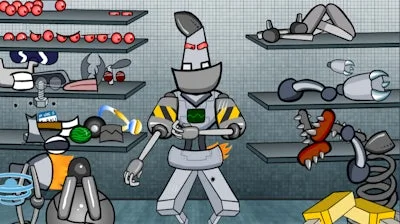


Imagine snapping together metal limbs, glowing cores, and quirky accessories until you’ve engineered a one‑of‑a‑kind machine. Build a Robot hands you the toolbox; the challenge is to make something that looks insane and works flawlessly. It’s a flash‑powered, 2D sandbox where every component clicks into place, letting you dress up your creation in endless styles.
Master the controls and the robot will practically build itself:
Every robot you craft unlocks a new tier of parts—think laser eyes, jet boosters, or a retro cassette‑player torso. The secret to staying hooked? Mix high‑tech with low‑tech, then test balance by rotating and scaling until the design feels just right. Keep an eye on symmetry; a well‑balanced bot scores higher in the hidden “efficiency” meter, opening rare “steampunk” accessories that scream personality.
Each session ends with a snapshot you can share, a badge for mastering a specific theme, and a fresh batch of parts to experiment with. The game’s quick‑play loops make it perfect for a five‑minute break or an all‑night design marathon. Ready to prove you’ve got the best robot on the server? Jump in, start dragging, and let the metal mash begin.
Don’t just watch others build—be the creator. Grab your first robot kit now at Build a Robot and experience PlayHop’s signature mix of creativity and challenge. Your masterpiece is only a click away.
Left-click and drag to move the objects