Controls
- Move mouse = control the monkey
- Left-click = interact with in-game UI
- Esc = Upgrade menu
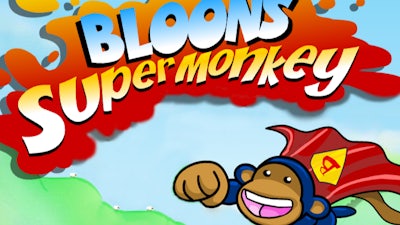


Play as a cape‑clad Superhero Monkey on a relentless balloon‑blasting spree. Every pop scores points, every upgrade fuels the frenzy. The game’s fast‑paced arcade feel hooks you from the first burst, making it the perfect pick‑up‑and‑play title for any break.
Controls are stripped down to pure reflexes. Move mouse = control the monkey. Left‑click = interact with in‑game UI. Esc = Upgrade menu. Master these three inputs and you’ll dominate the sky of floating balloons in no time.
Don’t just spray and pray. Start with rapid‑fire bursts to clear the early waves, then funnel earnings into the Flash upgrade for a lightning‑fast shot that shreds multiple balloons at once. Keep an eye on the balloon spawn patterns; they form predictable arcs that you can anticipate and pre‑empt. As you level up, the Monkey’s Superhero cape unlocks a temporary shield—activate it right before a massive balloon swarm to stay alive and keep the combo meter climbing.
Progression hinges on a simple loop: pop → upgrade → pop harder. Each upgrade not only boosts damage but also adds visual flair, turning your Monkey into a true arcade legend. The higher your score, the more exotic skins you unlock—think neon trails, pixel‑art retro looks, and even a Flash-themed cape that leaves a streak of light behind every swing.
Ready to dominate the balloon‑filled skies? Jump into the action on Bloons Super Monkey now and experience the punchy, fast‑paced thrills that only PlayHop can deliver. Your inner arcade champion is waiting—let the popping begin!.