NOTE: To make the keyboard controls work, you need to click anywhere outside the blocks area on the dark background. For example, in the dark area beside About text in the game.
Controls
- A/D or left/right arrow to move
- S or down arrow to drop
NOTE: To make the keyboard controls work, you need to click anywhere outside the blocks area on the dark background. For example, in the dark area beside About text in the game.
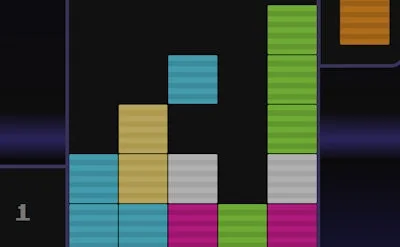


Imagine a Tetris‑style puzzle where every move feels like a reaction test. BlicblockJS drops you into a neon‑lit arena where matching Color blocks is the only path to a high score. The game’s roots trace back to the infamous Sims 4 mini‑game, but PlayHop has stripped away the fluff and handed you pure, addictive block‑matching action. One quick session, and you’ll understand why the leaderboard never sleeps.
The control scheme is razor‑sharp. Click outside the block grid on the dark background to activate keyboard input, then let the arrows do the work. Quick taps shift pieces left or right, while a single press drops them into place. Master the timing, and the cascade of matching blocks becomes a visual symphony.
Winning isn’t about frantic button mashing; it’s about pattern recognition and board awareness. Keep an eye on the upcoming Block preview – it tells you which shape lands next. Prioritize clearing larger clusters of the same Color to trigger chain reactions. The longer the chain, the higher the score multiplier. As the speed ramps up, focus on creating vertical wells; they give you breathing room when the drop rate spikes. Don’t ignore the side panels – they reveal hidden bonuses that can swing a tight game in your favor. Practice the “two‑step” technique: place a block, then immediately set up the next move while the piece settles. This habit reduces idle time and maximizes your clearing potential.
Ready to dominate the stack and claim the top spot? Jump into BlicblockJS now, and let PlayHop’s slick design and tight controls turn every session into a high‑score sprint. The leaderboard awaits – stack, match, repeat.
NOTE: To make the keyboard controls work, you need to click anywhere outside the blocks area on the dark background. For example, in the dark area beside About text in the game.