Batman Coloring Book – A Dark Arts PlayHop Experience
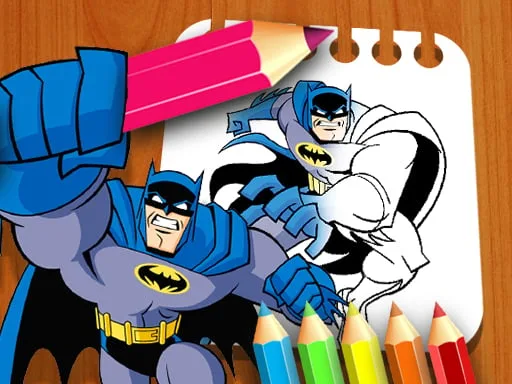
Step into Gotham’s shadows with a twist: you hold the brush, the Bat‑signal guides your hand. This isn’t just a coloring app; it’s a sandbox where fans of all ages can bring iconic scenes to life. Whether you’re a rookie or a seasoned caped crusader, the instant feedback and crisp line work keep you glued. The game’s free‑to‑play model means no barriers, just pure creative action on any device.
Mechanics
Grab the mouse, pick a hue, and start drawing. The toolbar lives at the bottom, offering a palette that spans every shade—from midnight black to a bold red. Click a color, drag across the canvas, and watch the ink fill the lines. Need a clean slate? The eraser resets any mistake with a single click. Adjust the brush size for fine details or broad strokes. The system is built for swift, responsive play, perfect for quick sessions or marathon art marathons.
- Use the Mouse Drag to Coloring
Strategy
Mastering the game isn’t about speed; it’s about layering. Start with the darkest tones to set depth, then add highlights for contrast. Treat each page like a puzzle—identify the zones that need bold color versus subtle shading. The built‑in Clicker timer rewards consistent progress, unlocking new palettes and bonus pages. Aim for a balanced drawing that showcases both the hero’s silhouette and the city’s neon glow. Challenge yourself by recreating the classic Bat‑mobile in a vivid coloring spree, or experiment with a monochrome palette for a gritty, educational study of light and shadow.
Ready to wield the pen like a true detective? Jump into Batman Coloring Book now, and let PlayHop turn your screen into Gotham’s most vibrant gallery. Your masterpiece awaits—stroke by stroke, color by color.
Use the Mouse Drag to Coloring