Barbie’s Sketch – Fast‑track Fun on the Arcade Trail
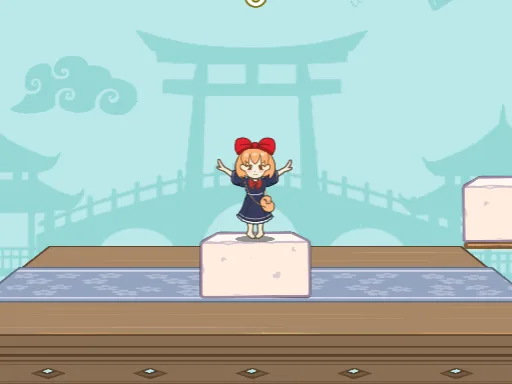
Barbie grabs a sketchboard and rockets toward a neon‑lit finish line. The game blends arcade speed with a light‑hearted adventure vibe. Every swipe, tap, or click pushes her closer to a bold new sketch. Miss a jump and the board cracks—so timing matters. The challenge feels fresh, but the reward is instant. Players love the hypercasual loop: quick sessions, big thrills, repeatable wins. NapTech Games built the core physics, while PlayHop polished the polish. If you crave fast action with a splash of style, this is the title that snaps your attention.
Mechanics
Controls are stripped down to two on‑screen buttons. Press left to surge forward, press right to leap over obstacles. The same scheme works on PC and mobile, keeping the learning curve flat and the gameplay tight.
- PC There are two buttons on the screen click the left button on the screen to speed up and the right button to jump
- Mobile There are two buttons on the screen tap the left button on the screen to speed up and the right button to jump

Strategy
Master the rhythm. Early levels teach the jump timing; later stages throw in moving platforms and sudden drops. Keep an eye on the horizon—new obstacles appear before they’re visible. Upgrading the board’s grip reduces slip, letting you maintain speed on steep sections. Collect sketch tokens to unlock alternate skins; each skin tweaks the board’s handling slightly. Survival mode pushes you to the limit: the board never stops, and the pace climbs every thirty seconds. Balance risk and reward. A well‑timed jump can shave seconds off your best run, while a missed cue forces a restart. The sweet spot is aggressive speed with precise jumps.
Jump in now and feel the rush. Play the arcade‑style dash that’s built for quick sessions and endless replay value. Grab your device, tap the link, and start sketching your way to the top. PlayHop brings the fun, and Barbie’s Sketch delivers the thrill.
PC There are two buttons on the screen click the left button on the screen to speed up and the right button to jump Mobile There are two buttons on the screen tap the left button on the screen to speed up and the right button to jump