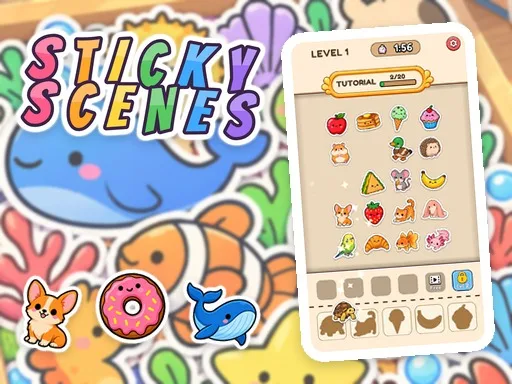
Sticky Scenes


Sticky Scenes drops you into a bright 2D board where adorable animal stickers wait to fill matching shapes. Each tap places a cute piece, clearing the board and revealing a new picture. The game rewards quick eyes and calm focus, making it perfect for short mobile sessions or longer web‑based relaxation. PlayHop delivers a polished HTML5 experience that runs smooth on Mobile and WebGL browsers, so you can jump in from any device.
The controls keep the action straightforward. Use your mouse or finger to select stickers, then watch them snap into place.
Start each level by scanning the shape row. Prioritize stickers that appear in multiple rows; they free up bench slots faster. Keep the bench half full; a crowded bench ends the timer early. When the clock ticks low, hit the Hint button to reveal the next matching piece. Progress through the 47 Levels across 11 themed chapters—Pets, Farm, Underwater, Jungle Adventure, Ancient Egypt, Japan, Candy Kingdom, Halloween, Amusement Park, and Wild West. Each chapter adds new Animal stickers that brighten your Sticker Book. Collect every sticker to complete the scene, then move on to the next chapter for fresh puzzles.
Ready to fill every shape and finish the sticker collection? Grab your device, tap the board, and start matching today with PlayHop. Let the cute graphics and relaxing pace keep you coming back for more.