Master the Heist in Museum Night Shift
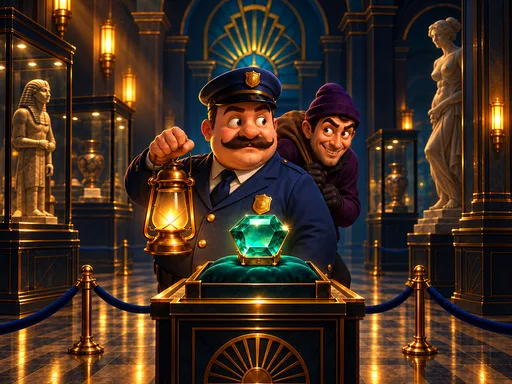
The museum lights go out, but the danger stays awake. You control the security response in this intense 1 Player 2D puzzle experience. A cunning thief moves through the halls with one goal: steal the emerald and vanish. You must use Logic and precise timing to block every escape route. This Top Down Strategy challenge requires you to think three steps ahead of the criminal. If you fail, the treasure disappears. If you succeed, you secure the exhibit and earn your reputation. Play this clever title on PlayHop to test your mental speed.
Museum Night Shift Controls and Mechanics
Navigating the museum requires careful movement on a complex hexagon grid. Every move you make triggers a reaction from the thief, making this a true Turn Based battle of wits. Use these commands to manage your security patrol:
- Click tap a neighboring hex to move
- Click tap the guard to wait
- desktop Space Step on switches to change gates
- Drag to pan the board
- Overview shows the whole board
- Pause opens settings and the main menu
Museum Night Shift Strategy Tips
Success depends on your ability to use the environment against the intruder. Do not just chase the thief; trap him. Use the switches to manipulate security gates, cutting off his path to the exit. You face 50 handcrafted nights spread across five distinct museum wings. Each wing presents new layouts that demand a sharp Brain to solve. Efficient captures earn you more coins, which helps you complete your exhibit album. If you find the base campaign too easy, finish it to unlock New Game+ for double coin rewards. Since there is no timer, use your Mobile device or desktop to study the board and plan the perfect interception.
Stop the thief before the emerald leaves the building. Start your shift now on PlayHop and prove you are the ultimate security expert.
Click tap a neighboring hex to move Click tap the guard to wait desktop Space Step on switches to change gates Drag to pan the board Overview shows the whole board Pause opens settings and the main menu