Master Every Trap in Level Once Again
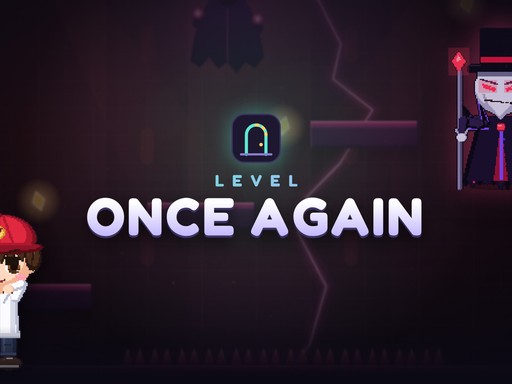
Kaal kidnapped Tara. You play as Veer, a hero forced to navigate 100 dangerous rooms to bring her home. This 2D Action Adventure title demands perfect Skill and Timing. You face four distinct worlds: the Dungeon, the Workshop, the Tower, and The Rift. While the first three rooms feel safe, everything changes immediately after. Every single room becomes a lethal trap designed to stop your progress. You must solve a new Logic Puzzle in every stage to survive. This Arcade style experience keeps you on edge as you master Physics and Jumping mechanics to reach the end.
Controls and Mechanics for Level Once Again
You control Veer using standard keyboard inputs or mobile touch controls. Precise movement determines whether you clear a room or hit a spike. Use these commands to navigate the Brain bending levels:
- Move Left Right arrows or A D
- Jump Space W or Up
- Restart R
- Hint H
- Mute M
- Pause Esc or P
- Gamepad A jump Y hint Select restart Start pause
- Mobile on-screen buttons left right jump
Winning Strategies on PlayHop
Success requires more than just fast reflexes. You need to observe how the environment reacts. Floors drop without warning, spikes pop up from unexpected angles, and doors move away just as you approach. Treat every room like a Puzzle. If you find yourself stuck, use the built-in hint system to watch a short video solution. This helps you understand the specific Physics of that room. You will face 7 massive bosses with unique attack patterns. Study their movements before you attempt to strike. Your progress auto-saves, so you can tackle these 2026 games style challenges at your own pace. If you want more high-quality titles, check out PlayHop for endless gaming options.
Stop waiting and start your rescue mission. Rescue Tara and prove your mastery over every trap in Level Once Again right now.
Move Left Right arrows or A D Jump Space W or Up Restart R Hint H Mute M Pause Esc or P Gamepad A jump Y hint Select restart Start pause Mobile on-screen buttons left right jump